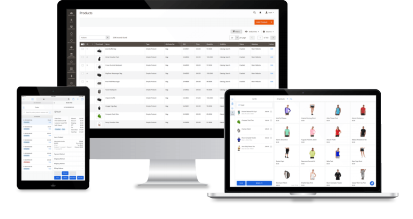
The most stable Adobe Commerce POS that ends long waits at checkout
Replace slow searches, long waits, and cumbersome transactions with a stable POS built to keep store operations running smoothly.
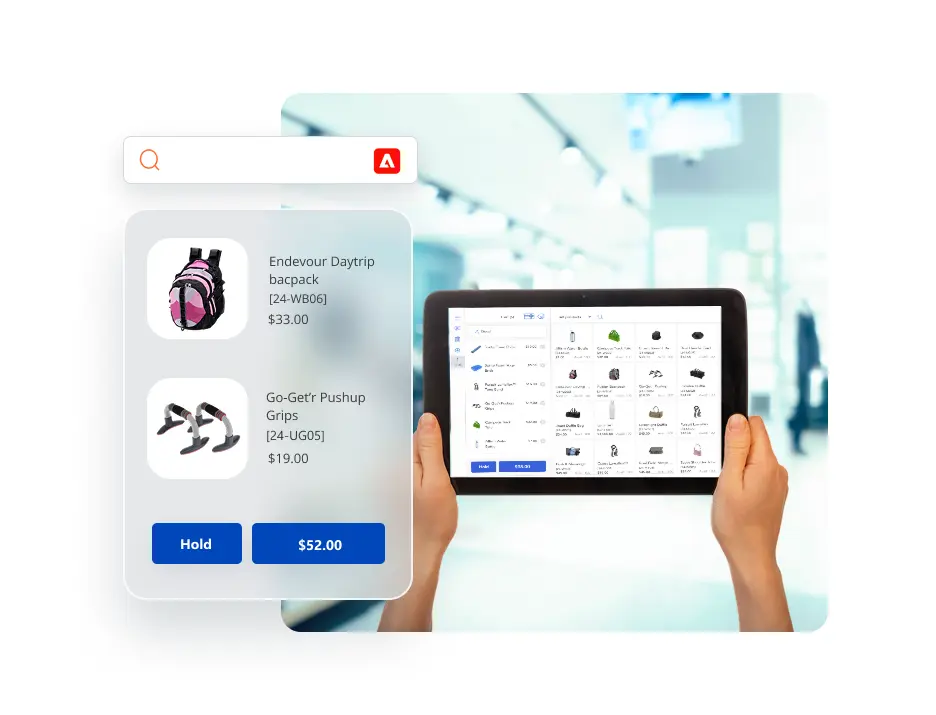



















Keep selling offline
Our Adobe Commerce POS system uses local checkout data to keep transactions fast and stable every day, and lets staff keep selling if the internet goes down.
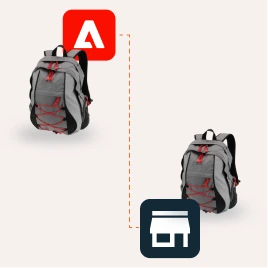
Native sync, less friction
Because the POS is built natively with Adobe Commerce, it avoids extra connectors and middleware that can slow things down or fail.

UI built for faster checkout
With product search, cart details, and checkout actions all visible on one screen, staff can serve customers with less clicking and less delay.

Fast lookup at scale
Local data and Magento-compatible search engines help cashiers find products fast, even in large catalogs.

Fast checkout
“Most of the staff have picked it up without any stress and minimal training. Since launch, we have had zero technical issues, zero configuration issues, and zero training issues. It has been a complete success.“
Shane Doerksen, Solution Architecture Director | Aphid Consulting
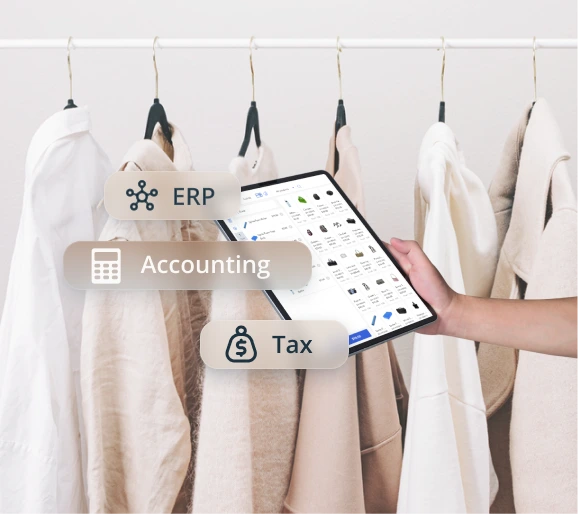
The Adobe Commerce POS that works with your existing systems
Add POS without changing the existing integrations between Magento and your ERP, accounting, manufacturing, tax, or loyalty systems.
- Work with your current system setup
- Keep existing integrations in place
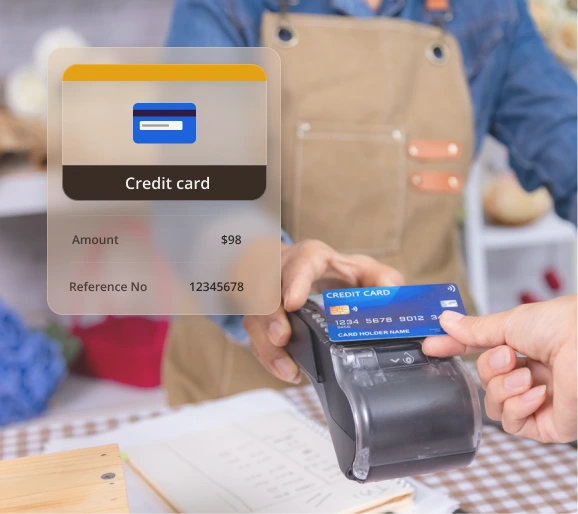
Integrated payments that remove double entry at checkout
With integrations to payment processors like Square, Clover, and Stripe, payment amounts can pass from the POS to the terminal right away — helping staff avoid manual entry and process card payments faster.
- Less manual input at checkout
- Fewer payment entry errors
- Faster, smoother card payments
More ways for customers to receive their order
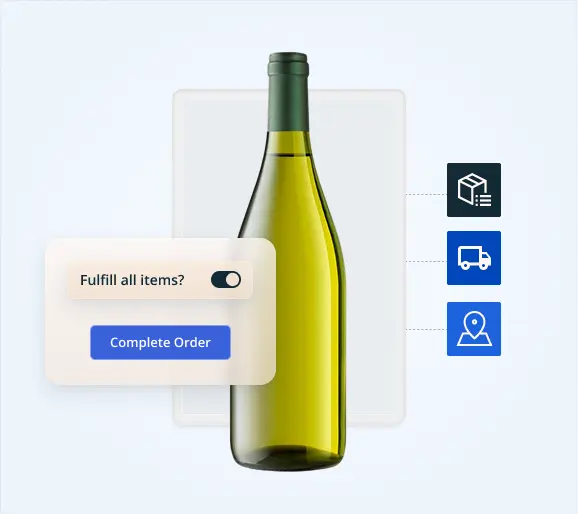
Give customers the flexibility to choose how they receive their orders: reserve products online and complete payment in-store, purchase in-store and ship items directly to home, or buy at one store and have the order shipped from another location.
- Reserve online, pay in-store
- Buy in-store and ship to home
- Buy at one store, ship from another
See and sell inventory across all your locations
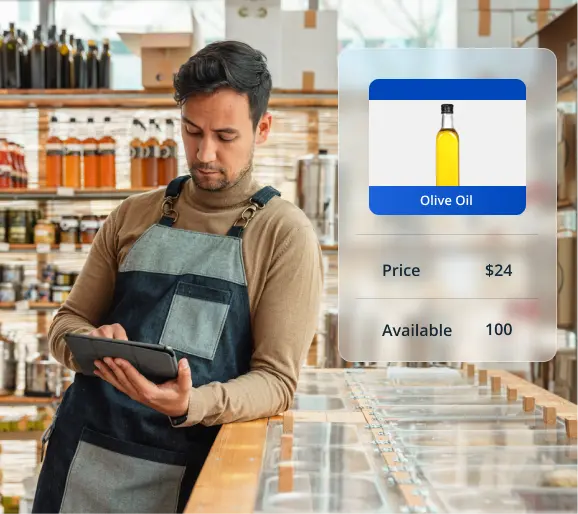
Get stock visibility by store, update products once across your core catalog, and let staff advise customers when an item is available in another location.
- Stock visibility across locations
- One catalog update, many stores
- Help customers source from another store
Use POS with the devices and peripherals that fit your store
Use our browser-based Adobe Commerce POS on iPad, laptop, desktop, or other web-enabled devices — and connect the peripherals you need, from barcode scanners to receipt and label printers.
- Run POS on iPad, laptop, or desktop
- Connect scanners, receipt printers, and label printers

What customers say about Magestore POS
From smooth onboarding and dedicated consultation to clear day-to-day use, our customers can attest to the Magestore experience.

Know the cost and how long implementation will take
We break down the pricing clearly, explain what is included, and give you an honest implementation timeline based on your setup — with free implementation from our team.
Ongoing support you can count on
Along with free implementation, you get 1 year of free support and direct access to our team on Google Meet, Slack, email, or WhatsApp.
”The Magestore team’s responsiveness was consistently impressive, and they handled installation and issue resolution remarkably quickly. Their team gets it. For any retail business navigating the complexities of today’s market, that’s invaluable.
Brandon Tailor, Founder of Benchmark HydroponicsHydroponics Supplies | Australia

Flexible and cost-effective pricing plans for medium to large Adobe retailers
Magestore Adobe Commerce POS pricing is a one-time payment for a lifetime license, tailored to your business’s scale, unique needs, and expected support level.
POS Simple
A lightweight POS package designed to cover daily checkout and operations – without the complexity or cost of a full POS system.
1-year warranty and 90-day money back
One time payment
Unlimited users, devices, and locations
Get a Quote
- Native to both Magento Open Source and Adobe Commerce
- Real-time data synchronization between Magento and POS
- Multiple payment methods: Cash, credit/debit cards, partial payments, integrated online payments (Stripe, Square, Adyen, etc.)
- Offline mode
- Order management
- Multi-location management
- Cash denomination
- Omnichannel loyalty programs: Gift cards, reward/loyalty points, and store credits
- Staff management
- Barcode management
- POS reports by location, payment method, staff, and session
- Popular 3rd-party integrations
POS Commerce
A complete POS package with advanced modules for efficient omnichannel management.
1-year warranty and 90-day money back
One time payment
Unlimited users, devices, and locations
Book a Free Consultation
All in POS Simple plan, plus:
- Advanced order fulfillment: Dropshipping, backorder, click-and-collect
- Multi-location inventory management
- Purchase order management
- Supplier management
- Extensive inventory and omnichannel sales reports
- Further customization based on unique business needs: New feature requests, custom integrations, etc.
Magestore POS packages comparison
Functions | POS Simple | POS Commerce |
Pricing model | One time payment for license | One time payment for license |
COMPATIBILITY | ||
Magento edition | Magento Open Source & Adobe Commerce (2.3.x - 2.4.x) | Magento Open Source & Adobe Commerce (2.3.x - 2.4.x) |
Devices | Tablet, iPad, laptop, PC, Mac | Tablet, iPad, laptop, PC, Mac |
MAGENTO MSI SUPPORT | ||
Work with Magento MSI enabled (Reservation enabled) | ✓ | ✓ |
Work with Magento MSI disabled (Reservation enabled) | ✓ | |
ADMIN CONFIGURATION | ||
Staff management | ✓ | ✓ |
Role-based access control | ✓ | ✓ |
Location management | ✓ | ✓ |
Session management | ✓ | ✓ |
Cash denomination | ✓ | ✓ |
POS management | ✓ | ✓ |
Multi-location support | ✓ | ✓ |
CHECKOUT AND ORDER MANAGEMENT | ||
POS order management | ✓ | ✓ |
Multiple cart management (Create and hold carts for later checkout) | ✓ | ✓ |
Receipt printing & reprinting | ✓ | ✓ |
Order refunds | ✓ | ✓ |
Custom products on POS | ✓ | ✓ |
Basic delivery methods (Flat rate, free shipping, table rates, in-store delivery) | ✓ | ✓ |
Direct cart discount entry on POS (No Magento Admin setup required) | ✓ | ✓ |
Direct item discount entry on POS (No Magento Admin setup required) | ✓ | ✓ |
Role-based maximum discount limits | ✓ | ✓ |
Cart price rule setup in Magento (auto-displayed on POS) | ✓ | ✓ |
Catalog price rule setup in Magento (auto-displayed on POS) | ✓ | ✓ |
Barcode label printing with layout customization (size, position) | ✓ | ✓ |
Barcode management | ✓ | ✓ |
Customer-facing display mode | ✓ | ✓ |
Self-checkout mode | ✓ | |
PAYMENT METHOD | ||
Cash payments | ✓ | ✓ |
Credit and debit card payments | ✓ | ✓ |
Partial payment | ✓ | ✓ |
Online payments (Stripe, Square, Adyen, etc.) | ✓ | ✓ |
LOYALTY PROGRAM | ||
Reward/loyalty points | ✓ | ✓ |
Gift cards | ✓ | ✓ |
Store credits | ✓ | ✓ |
INVENTORY MANAGEMENT | ||
Inventory management | ✓ | |
Inventory adjustment | ✓ | |
Inventory transfer | ✓ | |
Inventory movement | ✓ | |
Purchase order management | ✓ | |
Supplier management | ✓ | |
OMNICHANNEL ORDER FULFILLMENT | ||
Backorder | ✓ | |
Dropshipping | ✓ | |
Click and Collect | ✓ | |
REPORT & INSIGHTS | ||
POS reports | ||
Location reports | ✓ | ✓ |
Sales by payment method reports | ✓ | ✓ |
Staff reports | ✓ | ✓ |
Session reports | ✓ | ✓ |
POS performance reports | ✓ | ✓ |
Inventory reports | ||
Stock value | ✓ | |
Stock details | ✓ | |
Stock by source | ✓ | |
Incoming stock | ✓ | |
Historical stock | ✓ | |
Omnichannel sales reports | ||
Sales by time-frame | ✓ | |
Sales by customer | ✓ | |
New vs returning customer | ✓ | |
Sales by country | ✓ | |
Sales by product catalog | ✓ | |
Sales by product feature | ✓ | |
Sales by product performance | ✓ | |
Sales by payment type | ✓ | |
INTEGRATION | ||
Popular 3rd-party payment processors (Stripe, Square) | ✓ | ✓ |
Popular 3rd-party integrations (ERP systems, marketplaces, accounting software, shipping platforms, and more) | ✓ | ✓ |
OTHERS | ||
Offline mode | ✓ | ✓ |
Responsive POS interface (Auto layout adjustment on desktop/tablet screen resize) | ✓ | ✓ |
Customization based on specific requirements: Create a new feature, build a custom integration, etc. | ✓ | ✓ |
SUPPORT | ||
Channel | Google Meeting, Slack, Email, WhatsApp | Google Meeting, Slack, Email, WhatsApp |
Support time | 1-year free support after purchase + Free implementation | 1-year free support after purchase + Free implementation |
Installation | Free one-time setup on one staging site and one live site | Free one-time setup on one staging site and one live site |
Source code access | ✓ | ✓ |
REFUND | ||
Time to refund | Within 90 days from the purchase date | Within 90 days from the purchase date |
Trusted by +15,000 merchants worldwide
FAQs
1. Do I need a separate POS license for each branch?
No—if your branches run on the same Adobe Commerce backend, one POS license can cover multiple sites and stores.
2. Who owns the source code—Does Magestore retain it, or is it handed over to the client?
Once you purchase the license, the source code is handed over to your team. That means you can review the code and customize the POS yourselves if you have in-house developers. You are not required to go through our engineers, but we can also take care of the customization if you want to delegate it to us.
3. Does Magestore charge payment processing fees?
No. Magestore does not process payments or move funds, so we do not charge transaction fees. Our POS only connects to providers like Stripe, Square, Moneris, or Dojo to pass the payment amount and receive the result. Any processing fees are charged by your payment provider.
4. Can I use one POS license for multiple POS terminals?
Yes. You can run several POS terminals under a single license.
5. Does POS data live in Adobe Commerce?
Yes. Magestore POS syncs sales data back to Adobe Commerce, so your POS orders and related records are stored there alongside your online order data.
6. Does Adobe have a POS?
Adobe does not offer a first-party POS system as part of Adobe Commerce. Instead, Adobe Commerce is designed to integrate with POS solutions from partners and extensions in its ecosystem. Magestore POS is one such native Adobe Commerce POS solution, built for merchants who want in-store selling connected with Adobe Commerce.
Contact us and have all your questions answered
⚬ Transparent pricing ⚬ Clear implementation timeline ⚬ Attentive, honest consultation